Operations
The Operations module manages operational logs, readings, gate operations, repair work, and spare indents for assets.
Masters
Temperature Master
Field | Description |
|---|---|
Temperature | Name of temperature reading |
Gate Master
Field | Description |
|---|---|
Gate | Add Gate number, LIS Name, and Stage No |
Operation Logs
A) Logbook
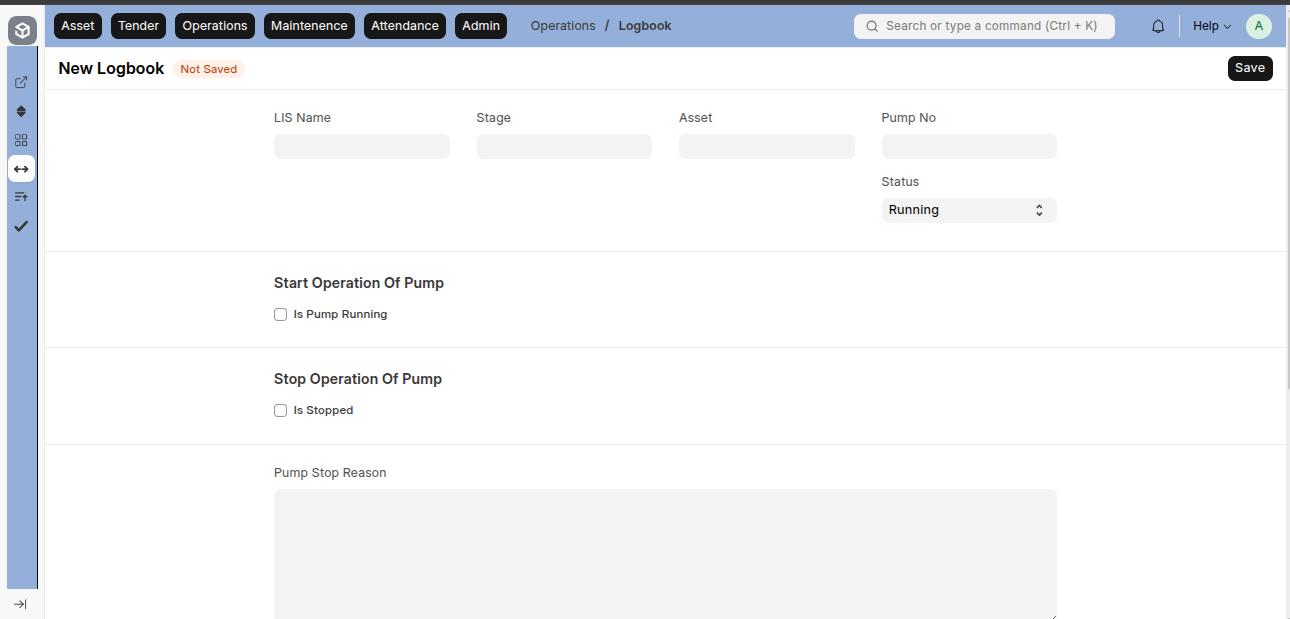
Field | Description |
|---|---|
LIS Name | Dropdown list of LIS |
Stage | Filters stages according to LIS Name |
Asset | Asset ID list (Pump category in selected LIS and Stage) |
Asset No | Asset number fetched from Asset |
Status | Running or Stopped |
Is Pump Running | Checkbox if pump is running (shows below fields if checked) |
Pump Start Date and Time | Start date/time for pump operation |
Previous Hours | Previous pump running hours (from last record or Asset if no previous record) |
Operator ID | Linked to User or Employee |
Operator Name | Fetched automatically when Operator ID selected |
Is Stopped | Checkbox to stop pump (hides running fields) |
Pump End Date and Time | Date/time when pump stops |
Current Hours | Hours calculated between previous and current |
Cumulative Hours | Total of Current and Previous Hours |
Pump Stop Reason | Reason for stopping the pump |
Remark | Additional remarks |
Condition Notes:
Previous Hours: If no record exists with same LIS, Stage, Asset → take from Asset.
If record exists:
If previous record is Running, validation error: "First Pump is still Running, stop that first".
If Stopped, allow creation.
If Is Pump Running is checked, Previous Hours = previous record’s Cumulative Hours.
B) Log Sheet
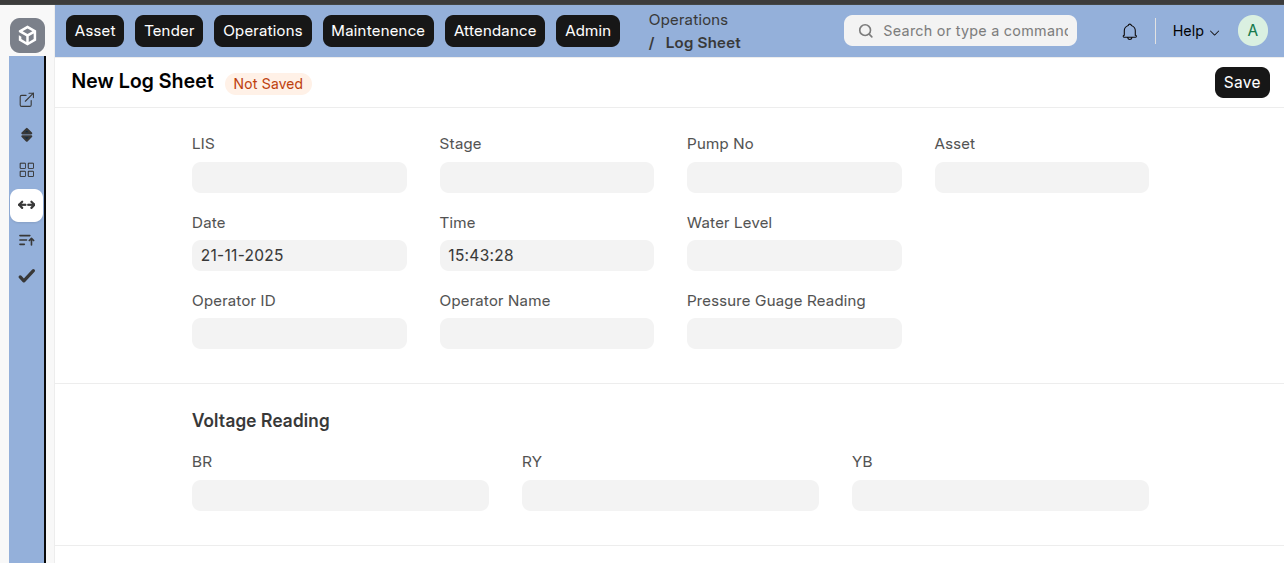
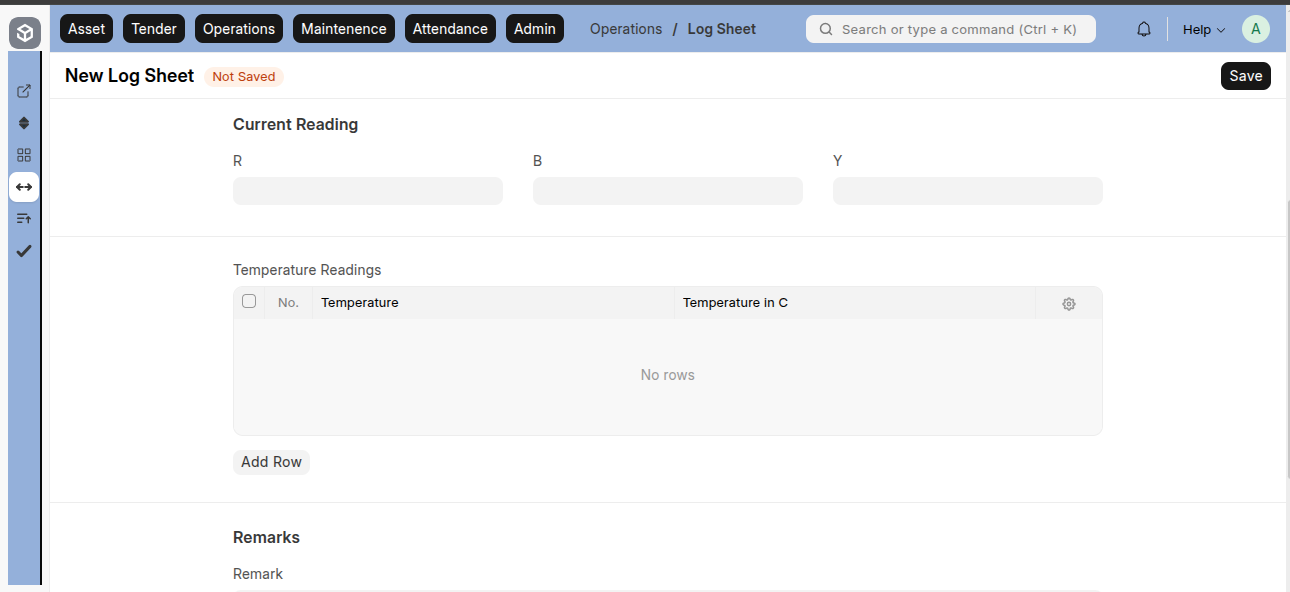
Field | Description |
|---|---|
LIS Name | Dropdown of LIS |
Stage | Filters stages according to LIS Name |
Pump No | Displays based on selected LIS and Stage |
Asset | Fetched from Pump No |
Date | Date of log |
Time | Current time of log |
Water Level | Water level at selected date/time |
Pressure Gauge Reading | Pressure reading at date/time |
Voltage Reading (BR) | Voltage via BR |
Voltage Reading (RY) | Voltage via RY |
Voltage Reading (YB) | Voltage via YB |
Current Reading (R) | Current via R |
Current Reading (Y) | Current via Y |
Current Reading (B) | Current via B |
Temperature Readings (Child Table) | Auto-fetch rows for each Temperature |
Temperature in °C | Temperature value in Celsius |
Remarks | Additional remarks |
C) Gate Operation Logbook
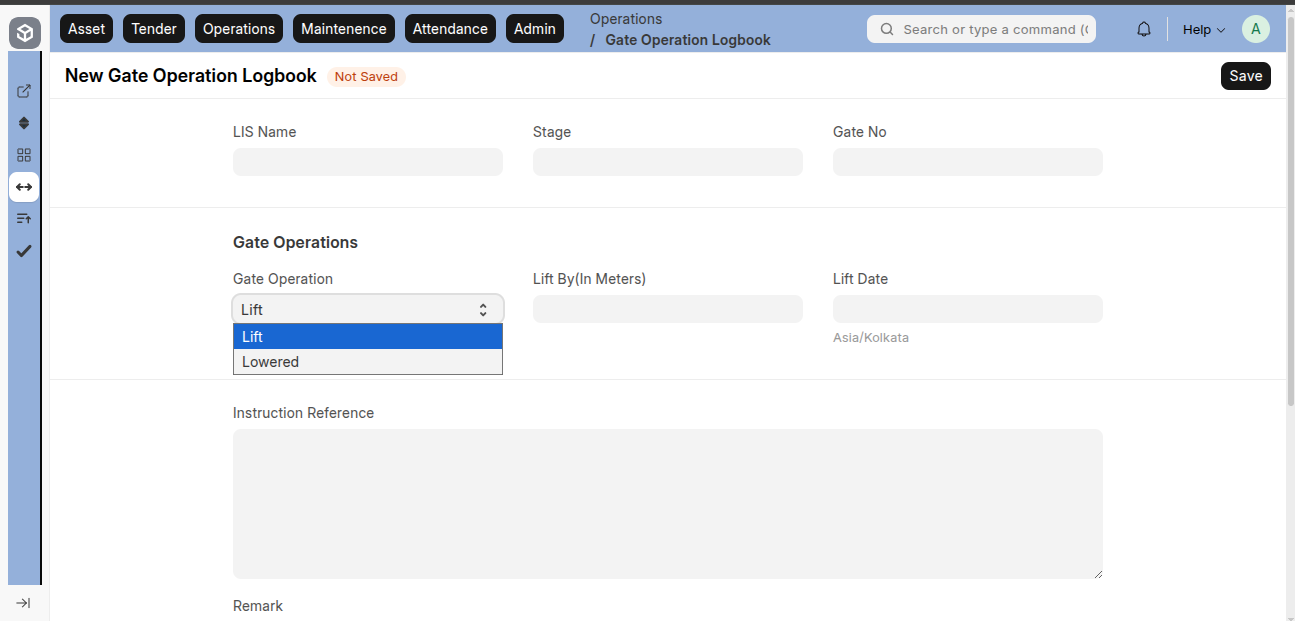
Field | Description |
|---|---|
LIS Name | Dropdown of all LIS |
Stage | Filters stages based on selected LIS |
Gate No | Linked to Gate Master |
Gate Operation | Lift or Lower |
Lift By (Meters) | How many meters gate is lifted |
Lift Date | Date of lift |
Lowered By (Meters) | How many meters gate is lowered |
Lowered Date | Date of lowering |
Instruction Reference | Reference instructions |
Remark | Remarks related to operation |
D) Repair Work Requirement
Field | Description |
|---|---|
LIS Name | Dropdown of LIS |
Stage | Filters stages based on selected LIS |
Date | Repair work date |
Work Requirement Number | Assigned number (optional) |
Prepared By | Linked to Employee |
Designation | Fetched automatically from Employee |
Nature of Problem/Defect Observed | Problem detected |
Justification | Justification for repair |
Recommended By (Incharge/JE) | Approval by Incharge/JE |
Approved By (EE) | Approval by Executive Engineer |
Verified By (DE) | Verified by Divisional Engineer |
Repair Work Details (Child Table)
Field | Description |
|---|---|
Sr. No. | Serial number |
Asset ID | Select asset from dropdown(based on selected LIS and Stage) |
Asset Name | Auto-fetch from Asset |
Equipment Model | Auto-fetch from Asset |
Equipment Make | Auto-fetch from Asset |
Equipment Capacity | Auto-fetch from Asset |
Equipment Rating | Auto-fetch from Asset |
Date of Commissioning | Date of asset commissioning |
Running Hours | Total running hours |
Last Overhaul/Repair Date | Auto-fetch from Asset |
Is in Warranty Period | Yes / No |
Present Status | Select current status |
U/R Date | Under repair date |
E) Spare Indent
Field | Description |
|---|---|
Purpose | Material Issue or Material Transfer |
Date | Date of spare indent |
Prepared By | Select from dropdown |
Designation | Auto-fetched from Prepared By |
LIS Name | Select LIS |
Stage | Filters based on LIS |
Required By | Required by date |
Set Target Store Location | Target location after indent |
Items (Child Table)
Field | Description |
|---|---|
Item Code | Code of item |
Item Name | Name of item |
Required By | Date required |
Description | Description of item |
Quantity Required | Quantity needed |
Target Store Location | Target store location |
Units | Units of measure |
Units Conversion Factor | Conversion factor for units |
Stock Qty | Quantity in stock |
Rate | Rate per unit |
Amount | Total amount |
Purpose of Use | Purpose of item |
Remarks | Additional remarks |
F)LIS Incident Record
Field | Description |
|---|---|
Subject | Subject of the incident |
Lift Irrigation Scheme | Linked to Lift Irrigation Scheme |
Stage | Filters stages based on selected Lift Irrigation Scheme |
Asset | Linked to Asset |
Asset No | Fetched from selected Asset |
Issue Type | Linked to Issue Type |
Priority | Priority of incident (High, Medium, Low) |
Status | Status of incident (Open, Closed, etc.) |
Details | Details of the incident |
Resolution Details | Details if the incident is resolved |
Opening Date | Date when incident was opened |
Lead | Person responsible for lead |
Contact | Contact number |
Email Account | Email of the contact |
Tender | Linked to Tender (if relevant) |
Company | Associated company |
Stock Master
A) Item Master
Field | Description |
|---|---|
Item Code | Unique code of the item |
Item Name | Name of the item |
Item Group | Group or category of the item |
Default Unit of Measure | Default UOM for the item |
Unit of Measure (UOM) | i) UOMii) Conversion factor |
B) Stock Entry
Field | Description |
|---|---|
Posting Date | Date of stock entry |
Stock Entry Type | Type of stock entry (e.g., Material Transfer, Material Issue) |
Posting Time | Time of stock entry |
Tender | Linked to Tender |
Default Source Store Location | Default warehouse/source location |
Stock Entry – Items Table (Child Table)
Field | Description |
|---|---|
Source Store Location | Linked to warehouses |
Target Store Location | Linked to warehouses |
Item Code | Code of the item |
Is Finished Item | Checkbox if the item is finished product |
Scrap Item | Checkbox if the item is scrap |
Description | Description of the item |
Qty | Quantity of the item |
UOM | Unit of measure |
Stock UOM | Stock unit of measure |
Conversion Factor | Conversion factor between UOM and Stock UOM |
Basic Rate (as per Stock UOM) | Unit rate based on Stock UOM |
Serial No | Serial number if applicable |
Batch No | Batch number if applicable |
Cost Center | Linked cost center |
Tender | Linked to Tender (dropdown options) |