Vehicle Management
The Vehicle Master module is used to maintain complete and centralized information of all vehicles owned or used by the organization.
It helps in:
Managing vehicle details
Tracking usage and maintenance
Linking vehicles with trips, expenses, and insurance
Ensuring compliance and proper record keeping
All operational modules depend on Vehicle Master data.
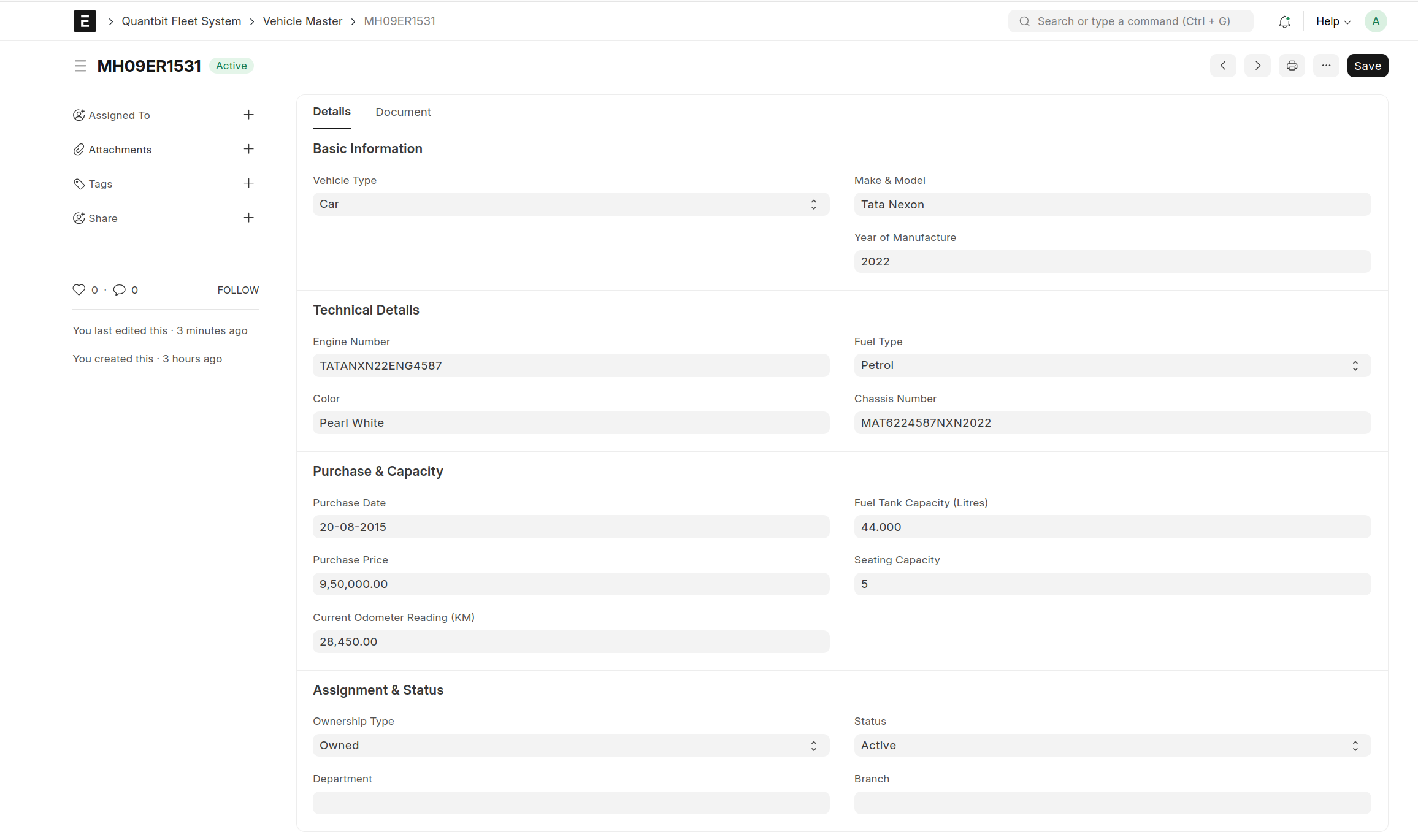
Step 1: Open Vehicle Master
Step 2: Enter Basic Information
Step 3: Enter Technical Details
Step 4: Enter Purchase & Capacity Details
Step 5: Enter Assignment & Status
Step 6: Save the Record
Vehicle Document Management
Purpose
Vehicle documents such as:
RC
Insurance
Fitness Certificate
Permit
are maintained under Vehicle Master.
How to Add Documents
Open Vehicle Master record
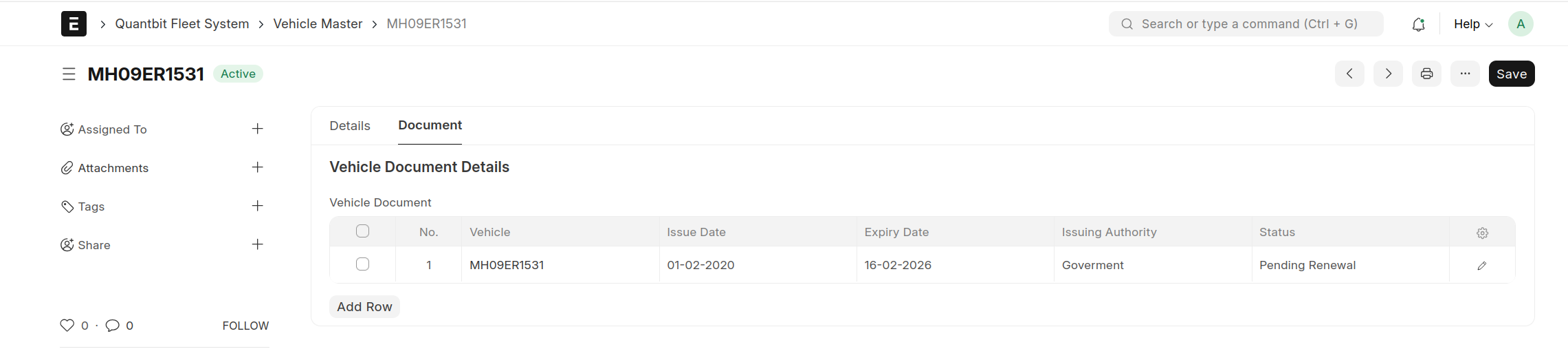
Go to Vehicle Document Details
Click Add Row
Enter:
Issue Date
Expiry Date
Issuing Authority
Renewal Reminder Days
Save
The system will automatically monitor expiry.
How Vehicle Master Is Used in Other Modules
Once created, Vehicle Master is linked with:
Module | Usage |
|---|---|
Trip Request | Vehicle selection |
Trip Log | Distance tracking |
Fuel Entry | Fuel consumption |
Maintenance | Service records |
Insurance | Policy mapping |
Expense | Cost tracking |
No transaction can be created without a valid vehicle.