Module Configuration Admin Manual
Steps to configure app-
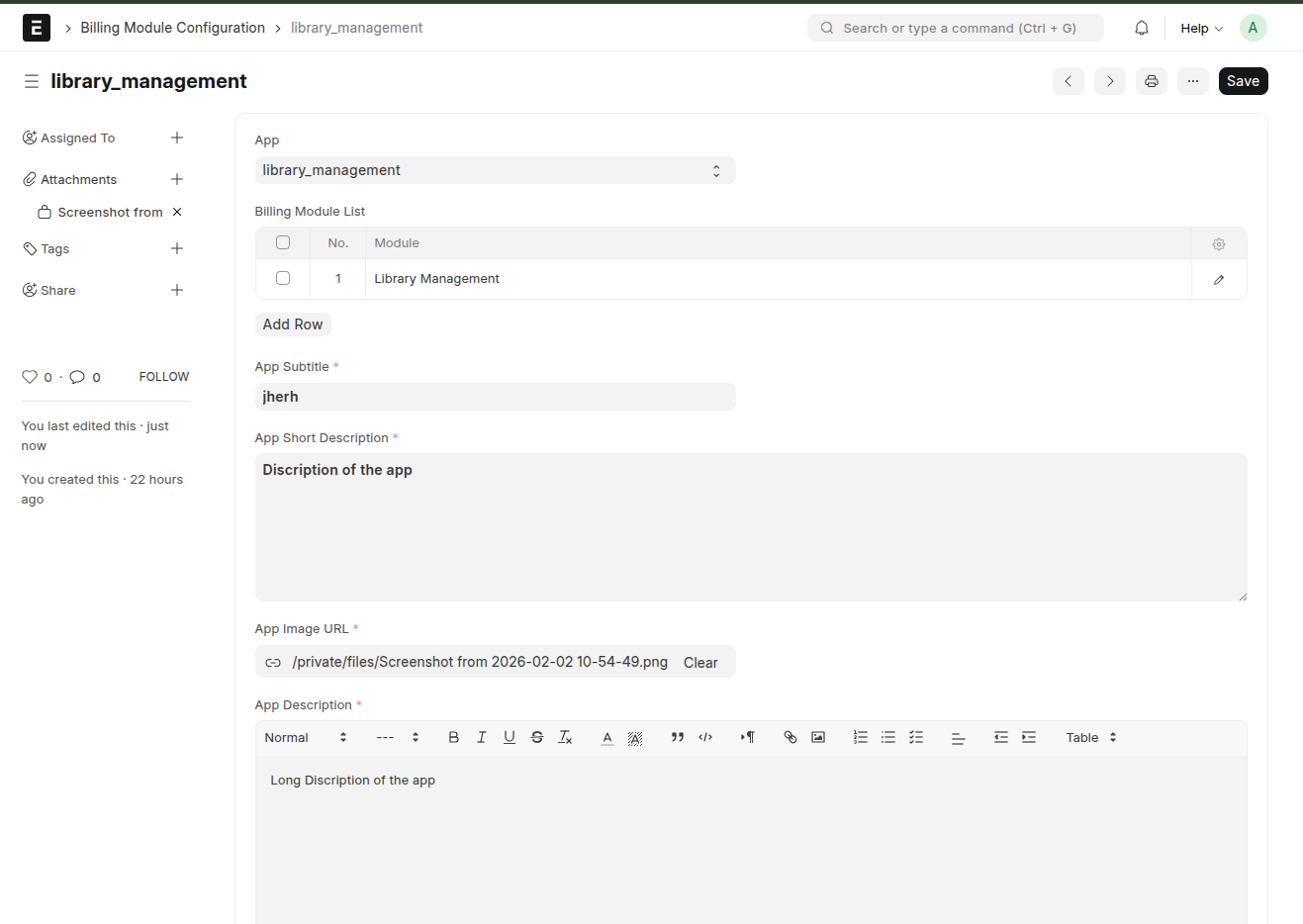
Step 1: Configure Application
Go to Billing Module Configuration
Select the app to configure
Fill:
App Name
Subtitle
Description
Features
Landing Page Image
Purpose:
This data is shown on the app’s UI (customer-facing site)
Action:
Click Save
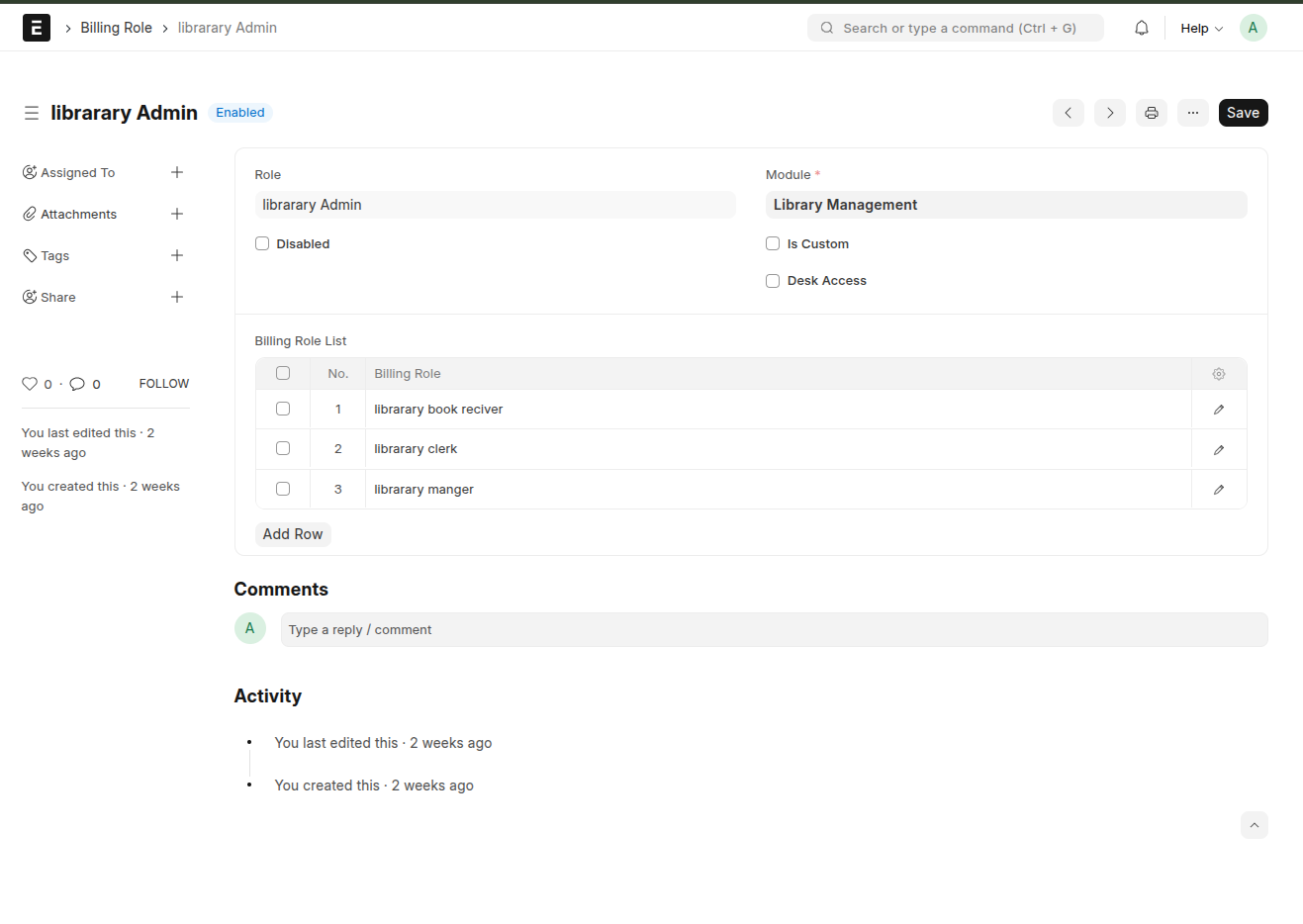
Step 2: Create Billing Roles
Go to Billing Role
Create roles (e.g., Admin, Manager, User)
Set:
Module (which app/module this role belongs to)
Configure:
Child Roles (Billing Role List)
Defines which roles this role can assign
Example: Admin → can assign Manager, User
Critical Rule:
Role controls access, not package
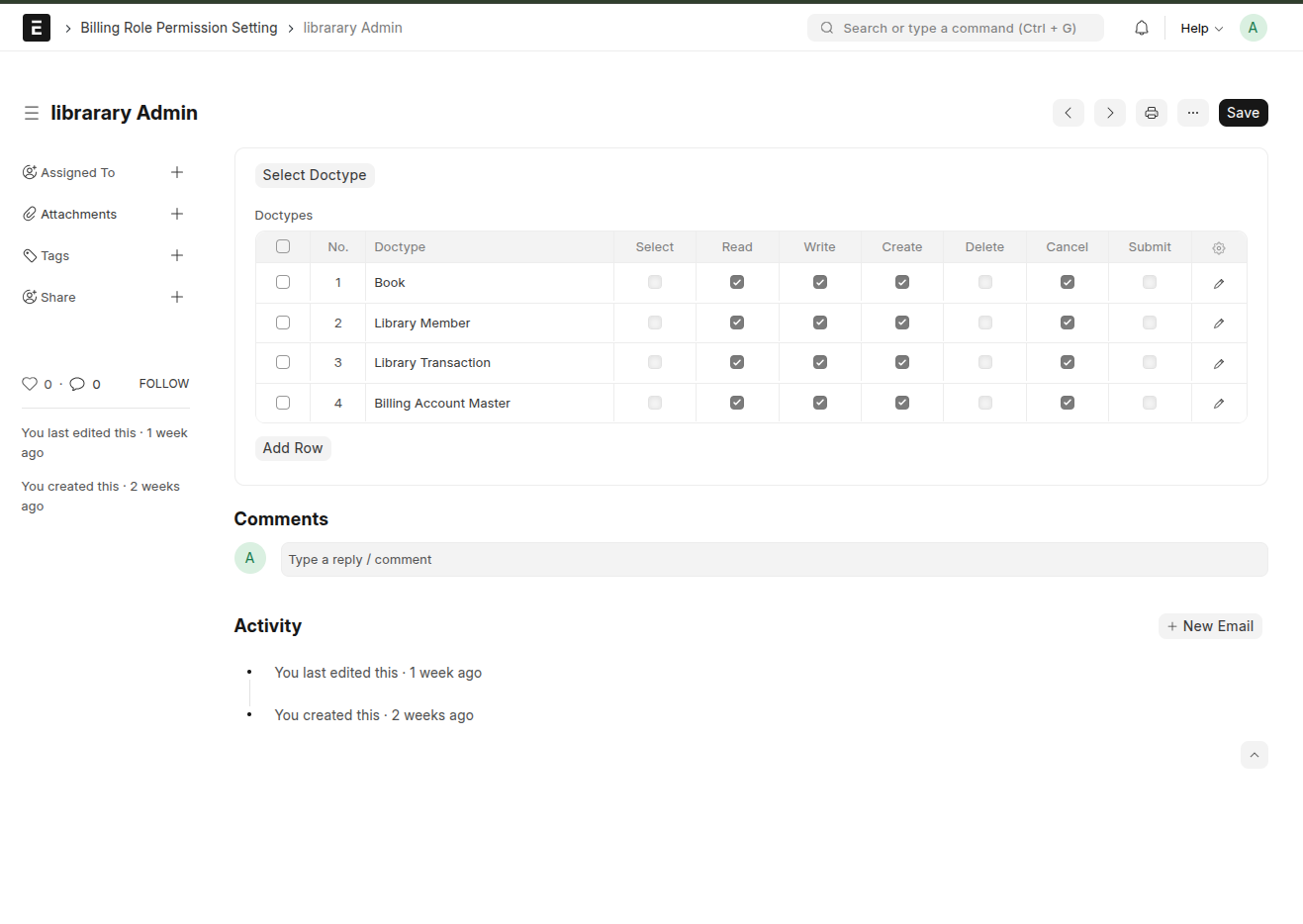
Step 3: Set Role Permissions
Go to Billing Role Permission Setting
Select Billing Role
Configure:
Allowed Doctypes
Permissions: (e.g)
Read
Write
Create
Delete
Rule:
Must configure for every role
Missing permission = feature not visible (so assign permissions properly)
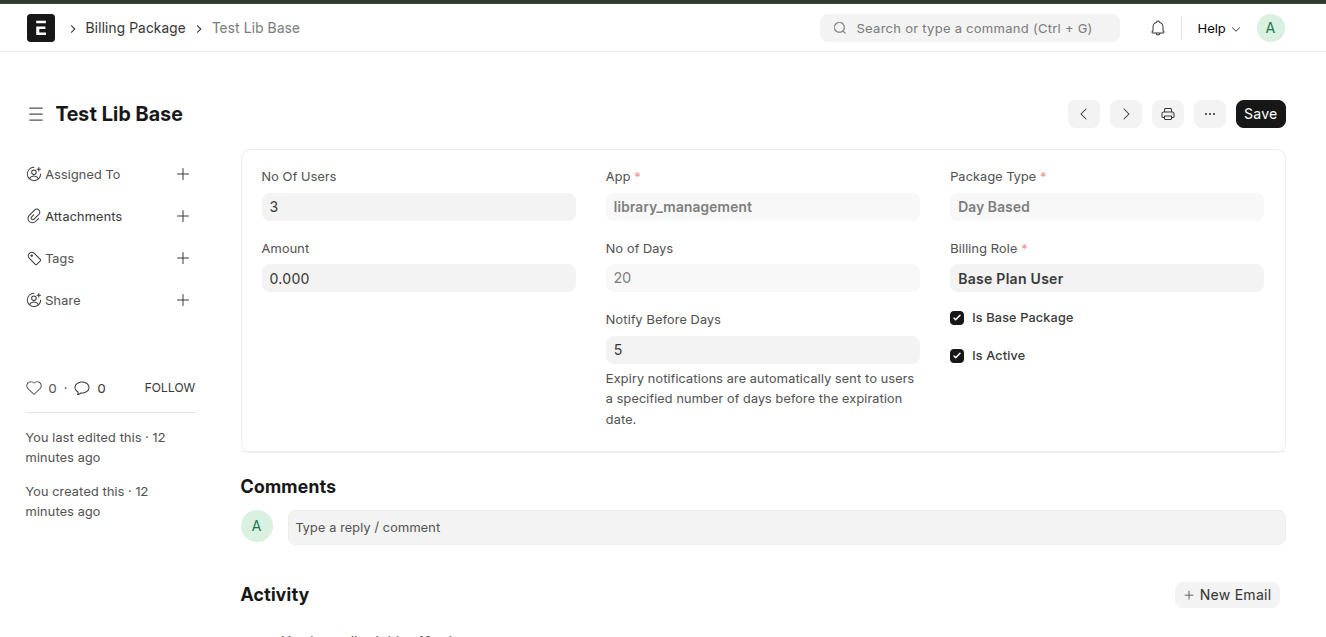
Step 4: Create Billing Packages
Go to Billing Package
Create packages
Set:
Basic:
Package Name
Package Type:
Day-Based (Subscription)
Token-Based
Limits:
Number of Users
Duration (if day-based)
Token Count (if token-based)
Access:
Assign Billing Role
Important:
This role will be assigned to user when package is selected
Step 6: Free Plan Configuration (Com)
If your system uses fallback: This is the package that will be given to the user as the starter package
-Check- Is Base Package (if this is checked then that plane becomes free plane amount will always be zero for this is base package plane)
Note: It is compulsory to make this free starter plane because this is the plan that will be assigned when user registers.(Each app must have this free plane).
Create a Free Package
Assign:
Limited role
Limited features
Behavior:
Applied when:
Plan expires
All Tokens utilized
Common Mistakes -
Role created but no permissions → user sees blank screen
Package created but no role → access breaks
App not mapped → nothing visible
User limit not set → admin confusion
One compulsory Free Package (Is Base Package) not created so the user will not get any role when registered.
Sub Roles not selected in Billing Role
Role Permissions Not selected properly