Billing Admin User Manual
1.Overview
Your Billing Account is your access to the platform.
If your account is active, you can use services. If not, access will stop or be a limited access.
2. How Your Account Works
Your account depends on a billing package you choose.
Two possible types:
Subscription Plan → Works for a fixed time (e.g., 30 days)
Token Plan → Works until your usage limit is finished
3. How to Check Your Account Status
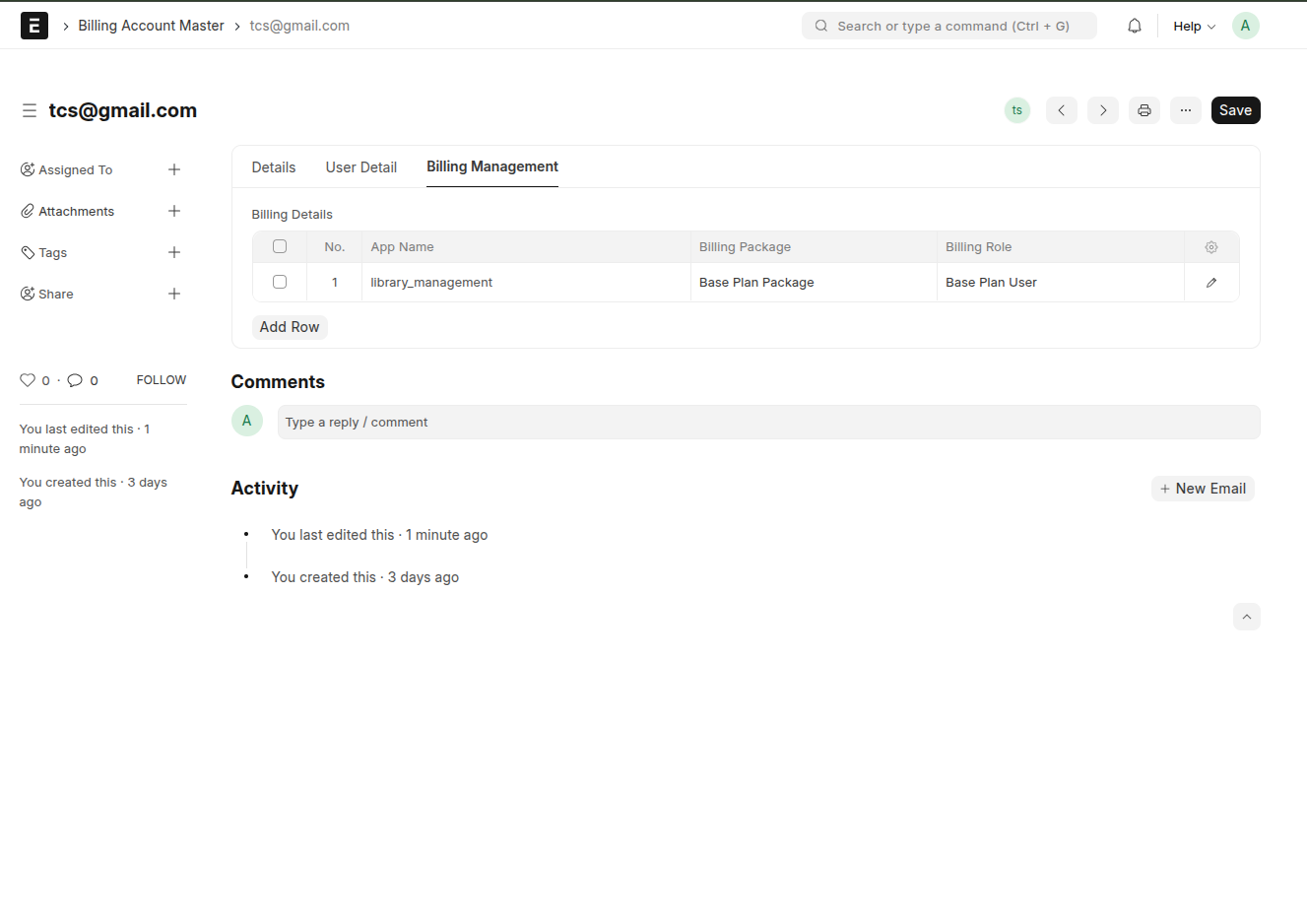
Billing Account Master-
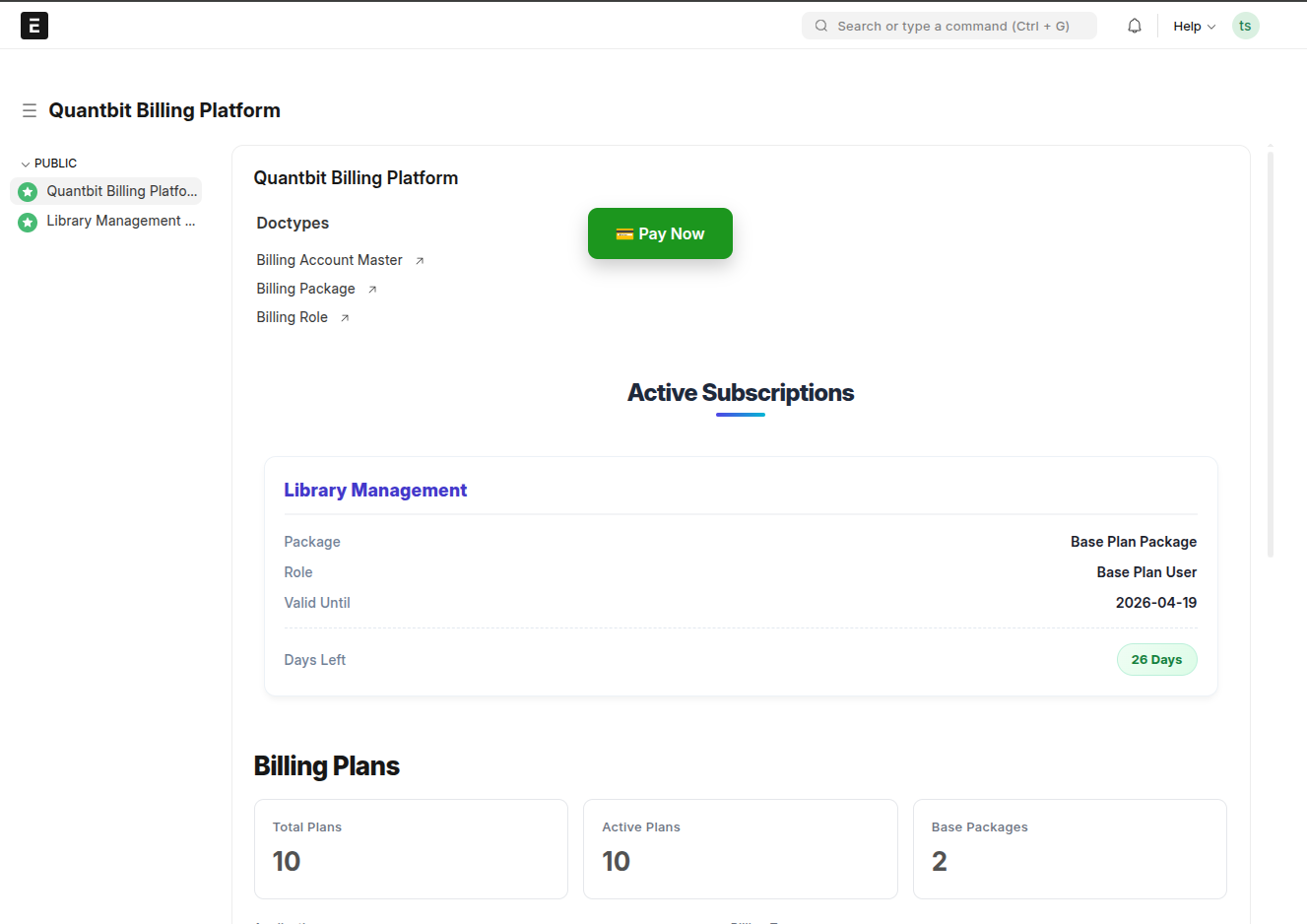
user can check his account status here like(which are the active packages he has / Packages for particular apps).
All updated packages will be shown here
4. Add users-
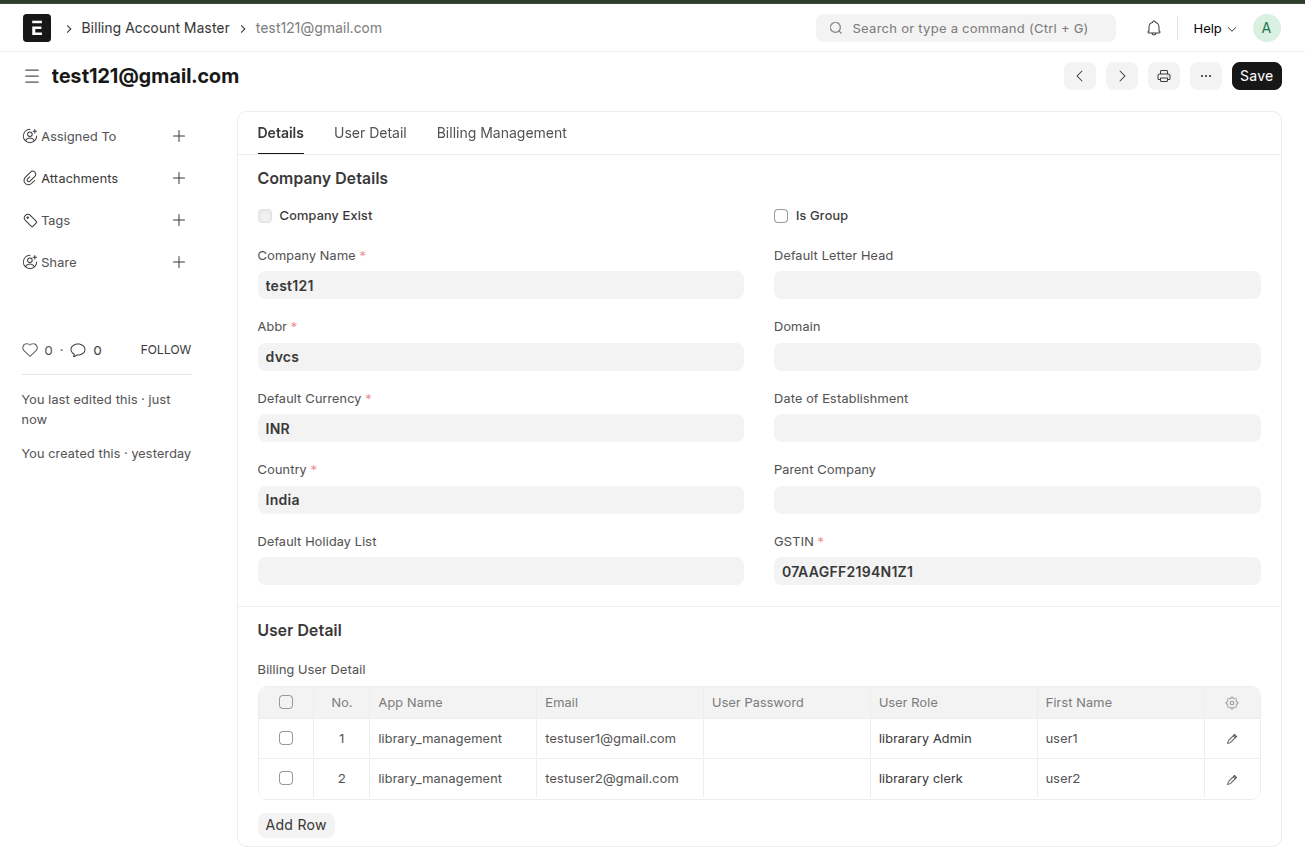
Admin can add the users inside the billing user details by adding email, password and give the role.
The user created by the admin will get role that is assigned by the admin.
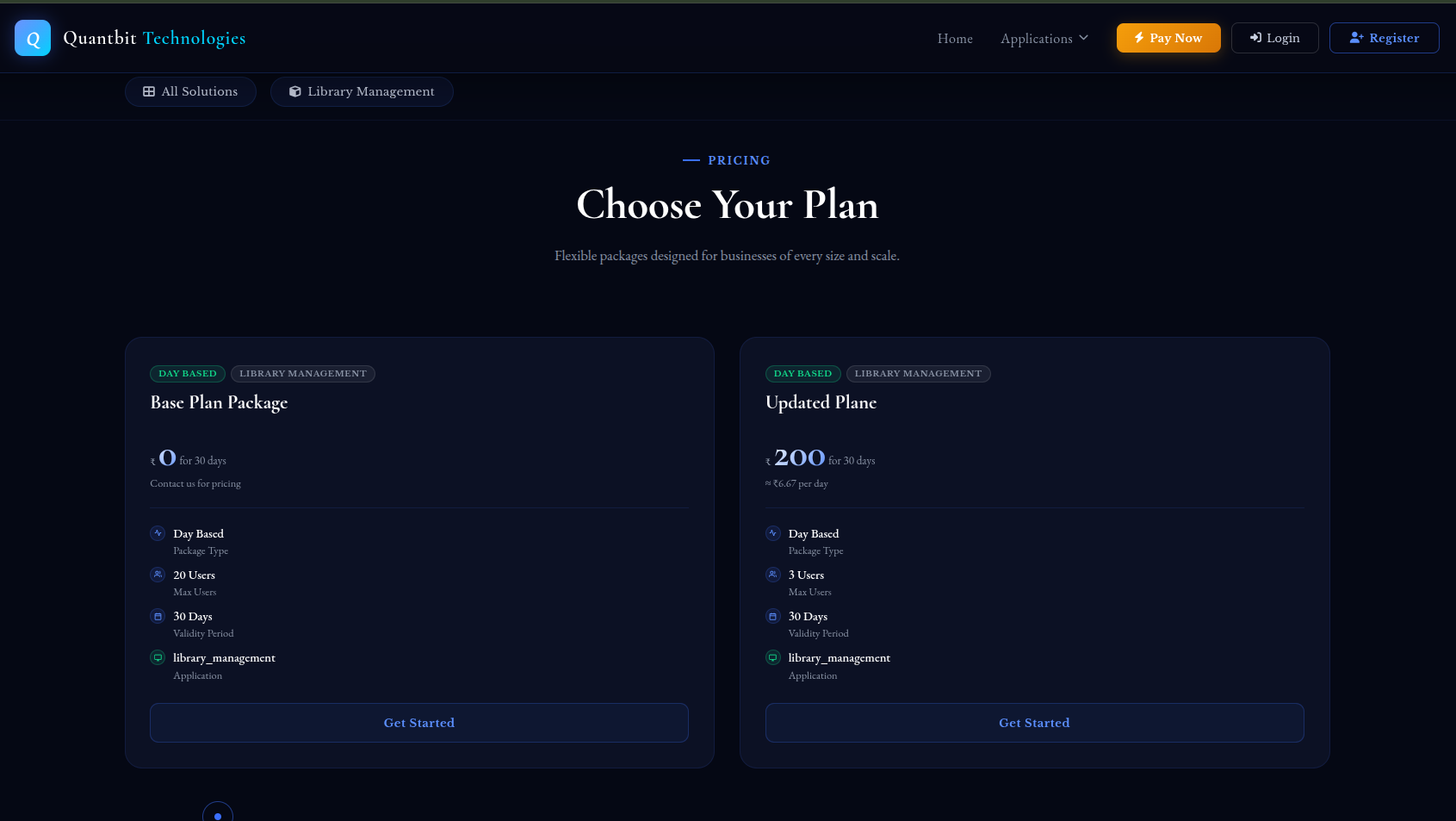
Admin can only create the limited amount of users if want to add more more upgrade package
5. Subscription Plan (Time-Based)
You get access for a fixed period and fixed allowed permissions.
Example: 1 month plan
What you need to track:
Expiry date
What happens after expiry:
Your access stops immediately and you get assigned free plan
What to do:
Renew before expiry
6. Token-Based Plan (Usage-Based)
You get a fixed number of tokens
Each action consumes tokens
What you need to track:
Remaining tokens
What happens when tokens finish:
Access stops even if time is left and you can just use the free plane or limited access only.
What to do:
Buy/renew tokens before they run out
7. When You Cannot Access the System
Check these first:
Package expired
No active plans
Tokens exhausted
If all are fine → contact support
8. Renewal Process
To continue using services:
Go to the billing site and just click pay now.
Choose a new plan/ package
Complete payment (if applicable)
Result: Account becomes active again
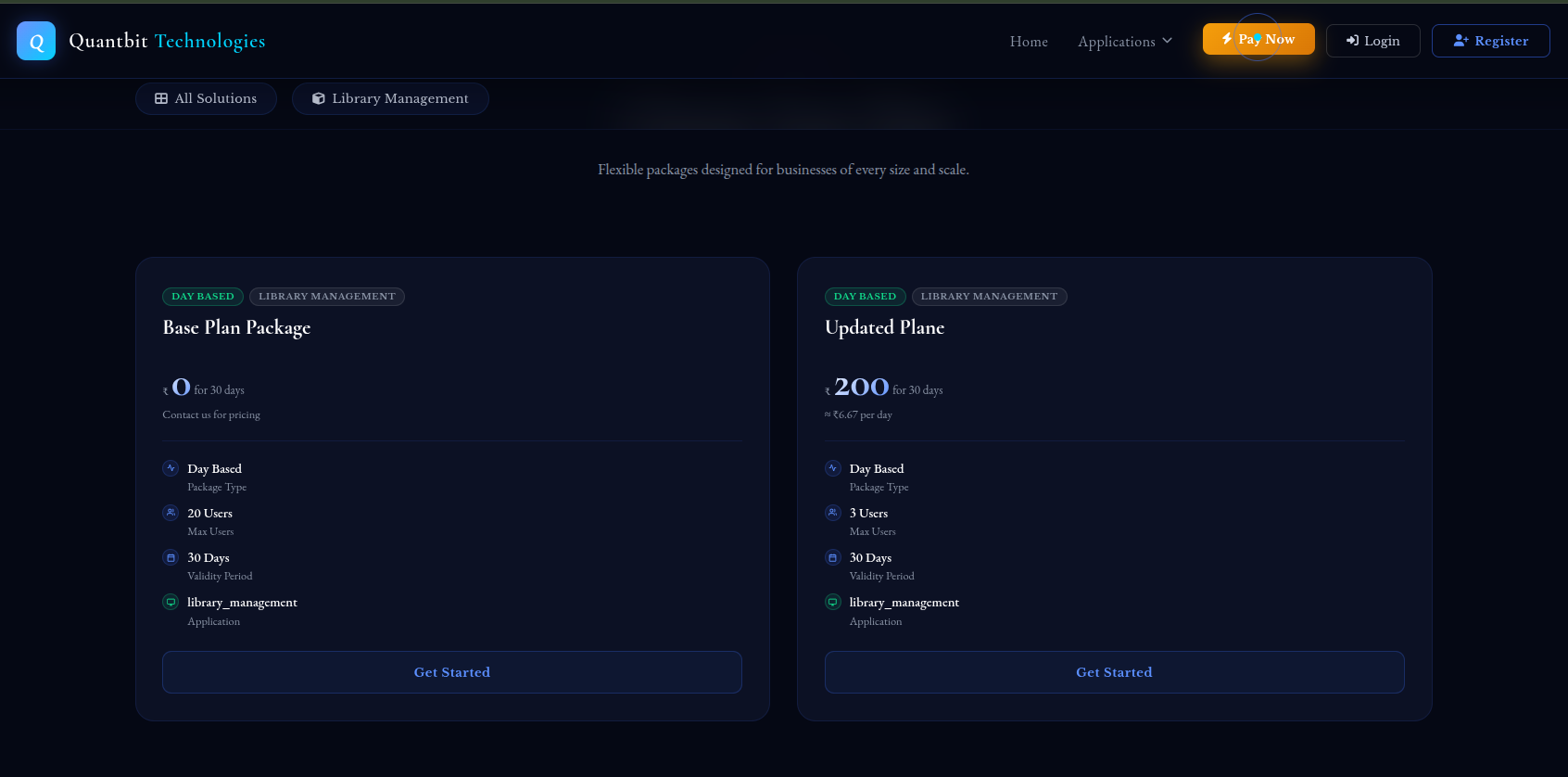
9. Upgrading Your Plan
You can switch to a better plan if needed:
Higher duration (subscription)
More tokens (token-based)
10. Important Rules
No plan = No access or very limited access
Expired plan = Access blocked for that plan you need to upgrade or continue with your same plane.
Tokens finished = Access blocked
System does not auto-extend unless renewed
11. Best Practices
Don’t wait for expiry
Monitor your usage regularly on your dashboard
Renew early to avoid downtime
12. Quick Summary
Your access depends on your plan
Plans expire by time or usage
Always keep your plan active


